
Font Awesome is probably the most famous icon font in the world. A few weeks ago they launched a Kickstarter campaign to increase the number of icons it already includes, reaching the staggering sum of 1 million dollars in funding.
According to its creators, Font Awesome is currently used by 73 million websites. The typeface currently available for use weighs 162 KB. If we could reduce that size by optimizing the font, we would achieve a more than considerable saving. Due to its enormous popularity, every bit counts.
Using OTF instead of TTF#
If we take a look at their GitHub, Font Awesome provides an OTF file for "desktop" and a TTF file for "web". In reality there is no reason not to use an OTF font on the web; moreover, TTF files tend to be larger in size than OTF ones.
Therefore, if we used the OTF file (132 KB) instead of the TTF (162 KB) we would save around 30 KB. The only "catch" is that the OTF version of Font Awesome is a bit outdated and doesn't include some icons that are present in the TTF version. But imagine those 30 KB of savings multiplied by the number of sites that use the font daily.
Reducing units per em (unitsPerEm)#
The unitsPerEm value determines the degree of fineness of the character template. The most common values tend to be around 1000 and 2048. When a font has a unitsPerEm of 2048 and is rendered at a size of 16px (font-size: 16px) it means that one pixel is rendered on a 128×128 grid (2048 / 16 = 128), and this is an enormous amount of detail for a single character pixel.
If we look at the specification we can see how coordinates can be stored as short (16 bits) or as byte (8 bits). This means that a contour with eight coordinates:
<contour> <pt x="1000" y="750" on="1"/> <pt x="1000" y="500" on="1"/> <pt x="500" y="500" on="1"/> <pt x="500" y="750" on="1"/> </contour>
Needs 8 shorts (or 16 bytes) to store one (x, y) coordinate, whereas using only 8 bytes (1 byte per coordinate) it would look like this:
<contour> <pt x="100" y="75" on="1"/> <pt x="100" y="50" on="1"/> <pt x="50" y="50" on="1"/> <pt x="50" y="75" on="1"/> </contour>
The result would be identical. Any value below 255 fits in 1 byte. In this example we have saved 8 bytes in this sample contour (a Font Awesome character can be composed of many of them).
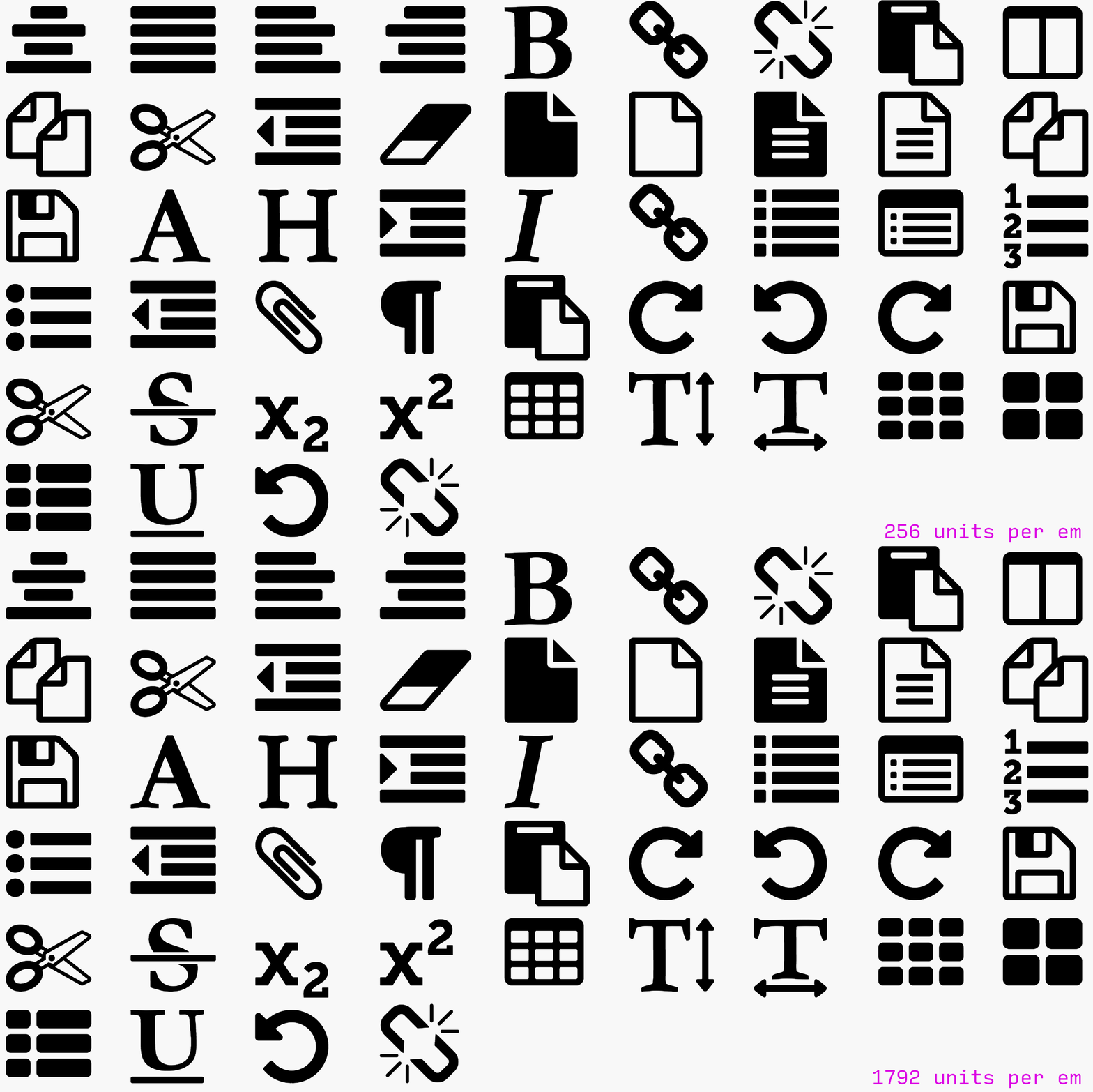
In the case of Font Awesome, a value of 1792 is being used for unitsPerEm. As we have explained that this is perhaps too much for an icon font like this, if we reduce it to 256 and assume that a font like Font Awesome can have around 100,000 combined coordinates across all characters, we would manage to reduce its size by approximately 15 KB!
Of course, we might now think that making this reduction would cause a significant loss of quality. But this would really only be noticeable if we rendered the icons at a very large size. In general, Font Awesome is used for icons in very discreet places, so the result would actually be the same.
Removing unnecessary information#
The tools that generate Font Awesome fonts include information in the files such as metadata and other data that increases the file size. There are tools like pyftsubset (part of TTX/FontTools) that run optimizations on font packages to remove this type of information that is not really necessary.
Running this tool on Font Awesome shows that the file is reduced by around 9 KB. Although it doesn't seem like a significant saving, we are talking about a saving of this magnitude for billions of users.
Generating super-compressed WOFF/WOFF2 files#
So far we have seen the savings in kilobytes starting from the TTF version of Font Awesome. As a web font, the ideal would be to use WOFF and WOFF2.
The WOFF file weighs 98,024 bytes. Compressing it with Zopfli we get a file of 71,632 bytes. If we do the same with the WOFF2 file we go from 77,160 down to 59,000 bytes.
Now the WOFF file is about 26 KB smaller, and the WOFF2 file 18 KB smaller. As we can see, we have achieved all of this using a compression tool superior to the one Font Awesome uses by default.
Insert only what we use#
Although it may seem obvious, the best way to optimize these font packages is to generate and include only the ones we will use on our website. Font Awesome currently has 675 icons and it is very unlikely that we will use all of them. The savings we would get by generating a font with only the icons we use would be very large.
Conclusion#
As we mentioned, every day 73 million websites use Font Awesome in its WOFF version. Assuming an average of 1,000 users without the cached version of the file, and using the potential savings we have seen when generating the WOFF/WOFF2 files:
- 73,000,000 sites × 1,000 visitors × 26 kilobytes = 1,898 Terabytes
In other words, we would be saving almost 2 petabytes of downloaded data. Obviously Font Awesome is hosted on most CDNs with very good caching policies to improve transfer and availability, but by optimizing and squeezing the file size a little more, a massive saving in downloaded data could be achieved.
It is clear that saving 26 kilobytes on a website will not make that website faster; we should first worry about large images, useless JS code, minifying CSS and JS, etc. But if we talk on a more global scale, the saving is so abysmal that it makes us reflect on the true power of those 26 KB saved.